
Description
A 128 vCPU AWS account is a serious purchase, and it is also the tier where account health stops being a nice-to-have and becomes the whole game.
Here is why. Everything that makes this tier valuable — enormous concurrent capacity, distributed training, sudden fan-out across dozens of instances — is precisely what an automated risk system is built to notice. You are buying the ability to behave in a way that looks, to a machine with no history of you, statistically indistinguishable from abuse.
Which is why at this level we push people toward the aged tier harder than anywhere else on the site.
What 128 vCPU buys
Simultaneity at scale. Your quota caps what may run at the same instant, and at this level that cap stops being the thing you architect around.
- Distributed training across many instances without the cluster starving itself
- Large parallel analytics running while production carries on untouched
- A rendering or simulation farm you can actually saturate
- AI inference at production volume with headroom for spikes
If you cannot yet describe your workload in numbers, the 64 vCPU account will serve you better at half the price, and we would rather sell you that.
Included
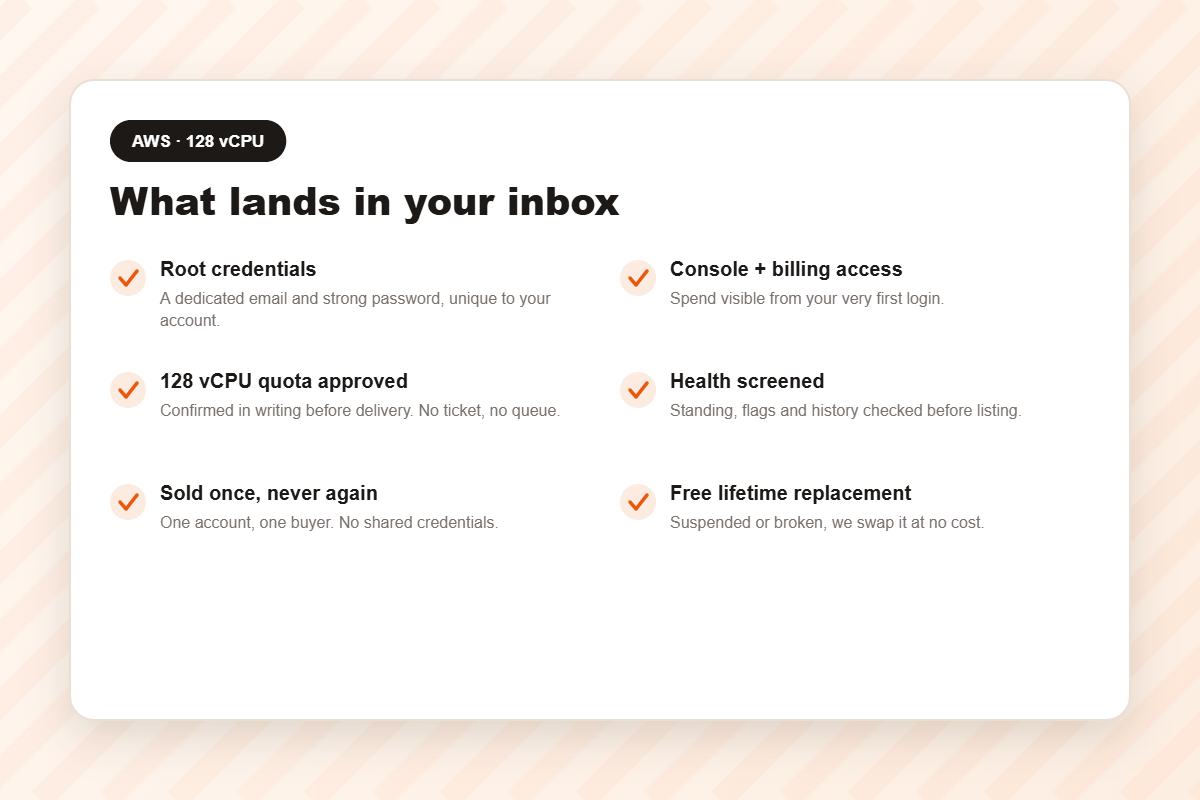
- Root credentials — dedicated email and strong password.
- Full Console and Cost Explorer access. Not a nicety here: this account can produce an alarming invoice if something is left running.
- A 128 vCPU quota approved in writing before handover.
- Health screening — and at this tier we screen harder, because the scrutiny you will attract is higher.
- Sold once. One account, one buyer.
- Bedrock and SageMaker enabled.
- Free lifetime replacement, no expiry.
Tiers
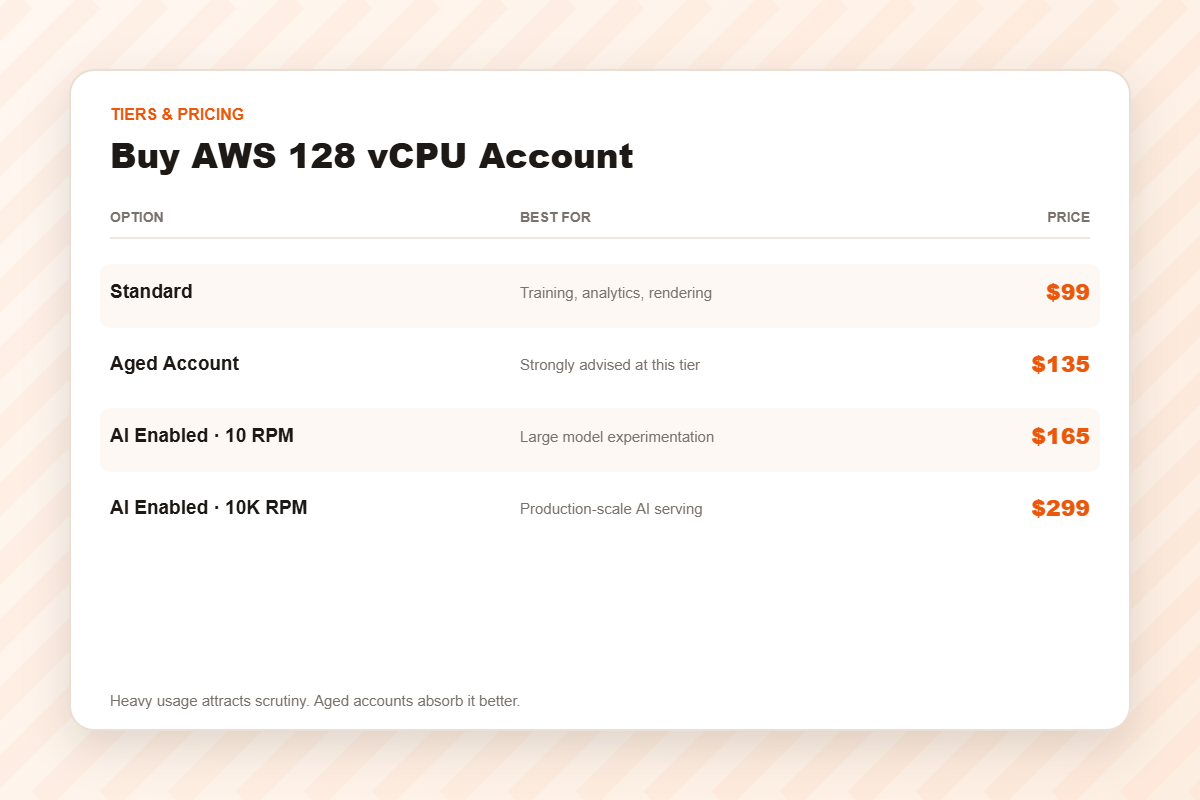
Standard — $99
Freshly verified and screened, 128 vCPU approved.
Aged Account — $135
Strongly advised at this tier. Heavy, spiky, unusual usage is exactly what risk systems are built to flag, and an account with a genuine track record absorbs that scrutiny far better than one created last Tuesday. Thirty-six dollars is cheap insurance against losing a training run.
AI Enabled · 10 RPM — $165
Bedrock and SageMaker at moderate throughput — large-model experimentation.
AI Enabled · 10K RPM — $299
Production-scale AI throughput, where rate limits rather than vCPU are the binding constraint.
Keeping a large account alive
- Set a billing alarm before your first launch. Large accounts generate large mistakes quickly, and failed billing is the commonest cause of suspension.
- Ramp up, do not leap. Going from zero to a hundred instances on day one is the behaviour most likely to trigger a review. Build up over a few days.
- Tag everything. When the invoice arrives you will want to know which experiment produced which number.
- Use spot for interruptible work, and shut clusters down. A forgotten farm over a long weekend is the most expensive habit in cloud computing.
- Log in from one place. Accessing a fresh high-capacity account from four countries in a week looks exactly like a compromise.
Delivery and support
Automated: median around ten minutes from cleared payment. If it is suspended or fails, one message to support and we replace it free, with no expiry.
The first fifteen minutes decide whether it survives
Most sellers hand over credentials and go quiet. We are going to tell you what to do next, even though none of it earns us anything.
- Change the password immediately. The one you were sent has sat in an email inbox. Treat it as compromised.
- Enable MFA on the root user before you deploy anything. Ninety seconds, and it is the highest-value action available to you.
- Create a working user. Living as root every day ends badly for everyone who does it.
- Check the billing settings. Failed billing is the most common cause of suspension, and on a bought account the warning email may go somewhere you cannot read.
- Set a billing alarm — a real one that emails you.
The full sequence is in this checklist. It takes a quarter of an hour and it is the difference between owning this account next year and buying another one next month.
Frequently asked questions
Can I run one 128-vCPU instance?
Yes, subject to instance-type availability in your region — or many smaller ones totalling 128.
Is the quota guaranteed on delivery?
Yes, approved and confirmed in writing before handover.
Does this include AWS usage costs?
No. AWS bills consumption separately. If lowering that bill is the goal, look at credit accounts.
Should I take the aged tier?
At this level, probably yes. It is the tier where history genuinely earns its price.
Ceiling or bill — know which one hurts
People buy 128 vCPU because they are about to attempt something ambitious, and a good number of them discover afterwards that concurrency was never their bottleneck. The jobs launched fine. It was the invoice that ended the project.
Those are two different purchases. A quota raises what you are permitted to run; credit lowers what you pay for running it. Heavy AI teams frequently need both and should buy both — but buying the wrong one and hoping is how people end up angry at this whole market.
Profile one representative run before you commit. If throughput does not scale close to linearly with cores, more cores will not rescue you. Send us the numbers and we will look at them with you, including the version where the honest answer is that you need better code rather than a bigger account.
Related
32 vCPU · 64 vCPU · AWS with credit · AWS accounts · cloud accounts.
Disclaimer: AWSCreditAcc.com is an independent reseller and is not affiliated with, authorised by, or endorsed by Amazon Web Services, Inc.. All trademarks belong to their respective owners. A cleared account saves you the verification queue; it does not exempt you from the rules. You remain responsible for operating within the platform’s terms of service and for whatever you deploy.
Reviews
There are no reviews yet.