
Description
Nobody decides they need sixty-four virtual CPUs. What happens is that things start queuing — a deploy stalls because the new instances cannot start while the old ones drain, a nightly job collides with the morning traffic ramp, a second client environment goes up and CI is suddenly waiting behind it.
That is the moment for a 64 vCPU AWS account. And it is also the moment when account health starts to matter more than it did, because you are about to look considerably more interesting to a risk system than you did last month.
Why scaling up raises your suspension risk
This is the part nobody selling accounts mentions, so here it is. A quiet account running one small web app is invisible. An account that suddenly spins up dozens of instances, runs a large batch job at 3am, and fans out across regions is doing exactly what abuse looks like to an automated system with no history of you.
It is not that you have done anything wrong. It is that unusual behaviour on an account with no track record is, statistically, usually bad news — and the system is built on that statistic.
This is precisely why the aged tier stops being an upsell and starts being sensible at this level. History is what buys you the benefit of the doubt.
What is included
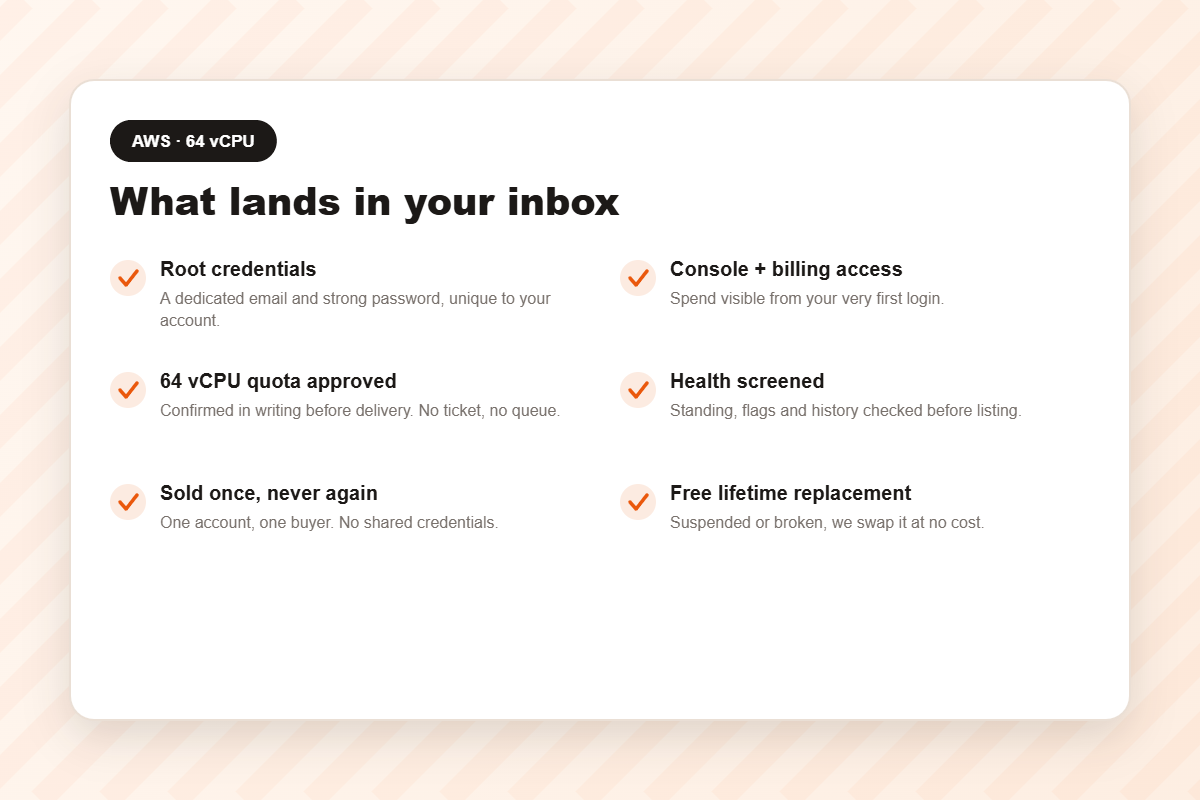
- Root credentials — dedicated email and strong password.
- Full Console and Cost Explorer access. A forgotten instance becomes a same-day discovery rather than a month-end shock.
- A 64 vCPU quota, approved in writing before delivery.
- Health screening — standing, flags, history.
- Sold once. One account, one buyer.
- Bedrock and SageMaker enabled.
- Free lifetime replacement, no expiry.
Who actually needs this tier
Agencies running several clients
Every client expects an isolated environment; none will accept “your deploy is blocked because another client is building”. This is where genuine separation becomes affordable.
Teams with a real CI/CD pipeline
CI is violently spiky — idle, then a large slug of compute for ten minutes, then idle. Sharing a 32 vCPU ceiling with production works right up until the day it very publicly does not.
Container orchestration
Kubernetes and ECS scale out horizontally by design. A low ceiling turns your autoscaler into an ornament.
Applied ML teams
Fine-tuning, evaluation and inference. Frontier training belongs on 128 vCPU; if the bill is the problem rather than the ceiling, credit is the answer instead.
Tiers
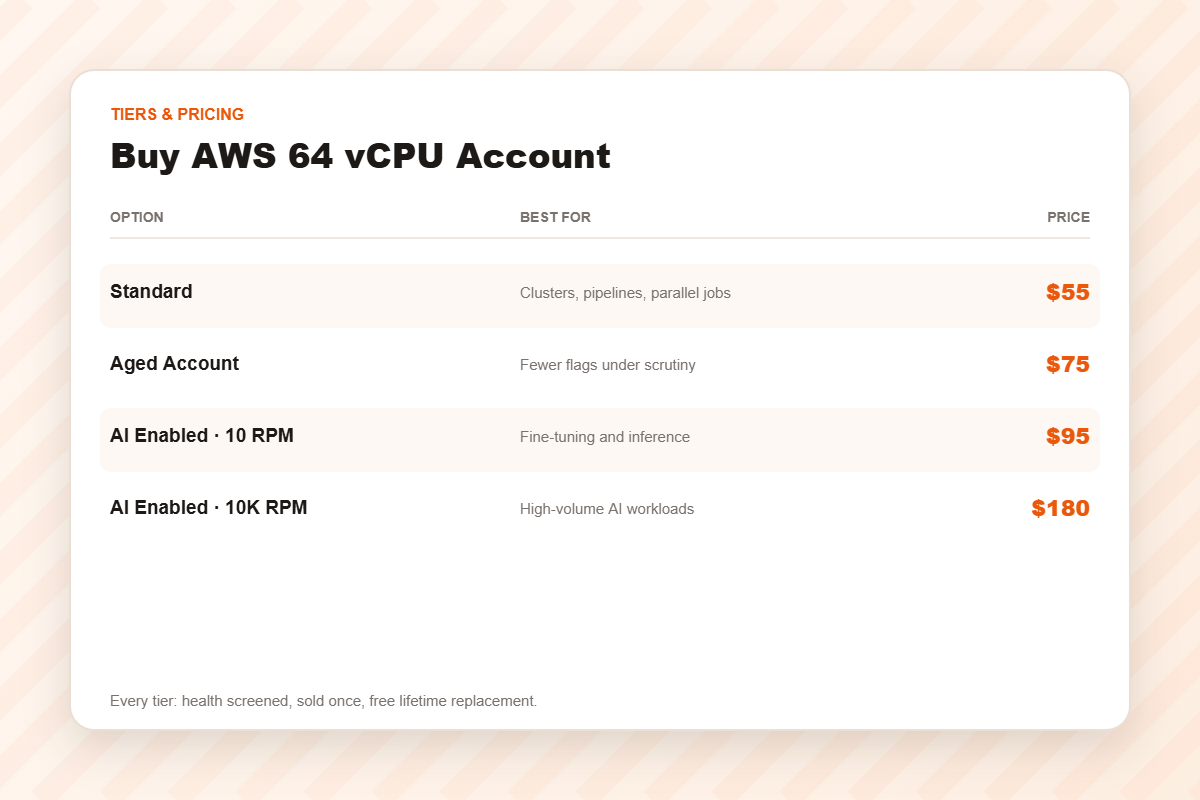
Standard — $55
Freshly verified and screened, quota approved, region of your choosing.
Aged Account — $75
Real history. Genuinely worth considering at this tier, for the reasons set out above.
AI Enabled · 10 RPM — $95
Bedrock and SageMaker at modest throughput.
AI Enabled · 10K RPM — $180
High AI request throughput for teams shipping to real users.
Sizing it honestly
- List everything concurrent — production, staging, CI, workers, cron, batch.
- Sum the peaks, never the averages.
- Add about a third of headroom for spikes and deploy overlap.
- Round up.
Under 32? Buy the 32 vCPU account and keep the difference. Well beyond 64? Go to 128.
Delivery and guarantees
Automated: median around ten minutes from cleared payment. If the account is suspended or fails, message support and we replace it free, with no expiry on the guarantee.
The first fifteen minutes decide whether it survives
Most sellers hand over credentials and go quiet. We are going to tell you what to do next, even though none of it earns us anything.
- Change the password immediately. The one you were sent has sat in an email inbox. Treat it as compromised.
- Enable MFA on the root user before you deploy anything. Ninety seconds, and it is the highest-value action available to you.
- Create a working user. Living as root every day ends badly for everyone who does it.
- Check the billing settings. Failed billing is the most common cause of suspension, and on a bought account the warning email may go somewhere you cannot read.
- Set a billing alarm — a real one that emails you.
The full sequence is in this checklist. It takes a quarter of an hour and it is the difference between owning this account next year and buying another one next month.
Frequently asked questions
Is 64 vCPU the same as 64 servers?
No — it is the total virtual CPU you may run at once. The sum is what the quota governs, not the instance count.
Does the quota apply everywhere?
No. Quotas are per region. Confirm yours before ordering.
Is the aged tier worth it here?
More often than at 32 vCPU, yes — because heavier, spikier usage is exactly what draws automated attention. The comparison is here.
Has the account been sold before?
No. Once, to you. Ask every seller.
Why buy rather than sign up?
AWS is free to join, so be clear about what you are actually buying: the days that verification and quota approval would otherwise eat, and certainty about an outcome the signup process refuses to guarantee.
For a hobby project on no deadline, that trade is probably not worth it and you should go and sign up. For an agency mid-sprint or a team with a client waiting, it usually is. We would rather you decided on the facts than on a countdown timer.
The mistake we see most at this tier
Teams buy 64 vCPU, deploy four environments onto it, and never once look at the billing settings — and then the account is suspended eight weeks later because a payment method silently failed and the warning went to an inbox nobody was reading.
It is the single most common way a perfectly good account dies, and it is entirely preventable in about four minutes. The full list of causes is here.
Related
32 vCPU · 128 vCPU · AWS with credit · AWS accounts · cloud accounts.
Disclaimer: AWSCreditAcc.com is an independent reseller and is not affiliated with, authorised by, or endorsed by Amazon Web Services, Inc.. All trademarks belong to their respective owners. A cleared account saves you the verification queue; it does not exempt you from the rules. You remain responsible for operating within the platform’s terms of service and for whatever you deploy.
Reviews
There are no reviews yet.